Meshtastic
Off-Grid Communication For Everyone
or From Marconi to Meshtastic in 10 Minutes
Tonight’s Plan
- A bit of radio theory
- Meshtastic overview
- Build your own node
- Scatter and test the mesh
In a few minutes, you will need:
- Chrome-based browser on your laptop
- Meshtastic app on your phone
Radio theory 101
- The electro-magnetic (EM) spectrum covers a huge range of radio, light, and up to xrays
- Frequency is measured in waves per second as hertz (Hz)
- Generally, lower frequency gives us longer range but lower data rates, vs high frequency at short range
- At the very low end, individual Hz can transmit through the entire ocean and only carry a few characters per minute
- At the high end, xrays are measured in petahertz to exahertz
Radio trivia
- Different frequencies exhibit wildly different properties
- Following earth’s curve or bouncing off the atmosphere
- Being blocked by fog due to water absorbtion
- Passing through solid objects
- As you move from Hz to EHz, large ranges are given fun names like “low”, “medium”, and “high” frequency
- Usage of different segments often agreed by international treaty to allow portability
- Each segment comes with different rules about who can use it, why, and how. Some are purchased, some are open to the public, some just require registration
Key points along the spectrum
- Extremely low frequency - 3-30Hz used to contact submarines, antennas 14-28 miles long
- Medium frequency - 300 kHz to 3 MHz, AM radio from 525 kHz to 1705 kHz
- Very high frequency - 30 to 300 MHz, FM radio from 87 to 108 MHz
- Ultra high frequency - 300 MHz to 3 GHz, Meshtastic at 915MHz, Wifi at 2.4GHz
- Super high frequency - 3 to 30 GHz, 5.8 GHz WiFi, 24GHz JMU building to building links
- Purple - 700 THz
More radio trivia
- Each device will have a center frequency and channel width
- Sometimes these are given short names to make configuration easier
- For example, WiFi “channel 32” is centered at 5160 MHz and is 20MHz wide, meaning it uses 5150–5170 MHz
- WiFi allows you to change the center frequency and the width to optimize bandwidth and interference from neighbors
- Install Ubiquiti WiFiman (iOS or Android) some day to visualize the WiFi environment
LTE and ISM
- LTE cell phones can use up to 100 different channels, depending on country and provider. Frequencies range from 400 to 5900 MHz
- Industrial, scientific, and medical (ISM) frequencies are largely unregulated/unlicensed world-wide
- 13 different frequencies including 900 MHz, 2.4GHz, and 5.8GHz used by Meshtastic, WiFi, and Bluetooth
- You must not intentionally cause interference for others and must accept accidental interference you receive
- Strict limits around transmit power levels
Antennas
- Antennas help guide EM waves toward recipients and reject unwanted noise
- Very narrow antennas like satellite dishes can aim a signal at an exact point a very long way away
- Sector antennas can be seen on cell towers, possibly around 60° to 90° width, to separate customers in different areas
- Omni-directional antennas can send in 360°, in one or both planes
- Coax and fiber optic cables guide a signal exactly from one point to another
- Manufacturers publish charts to help choose the right product and installation method
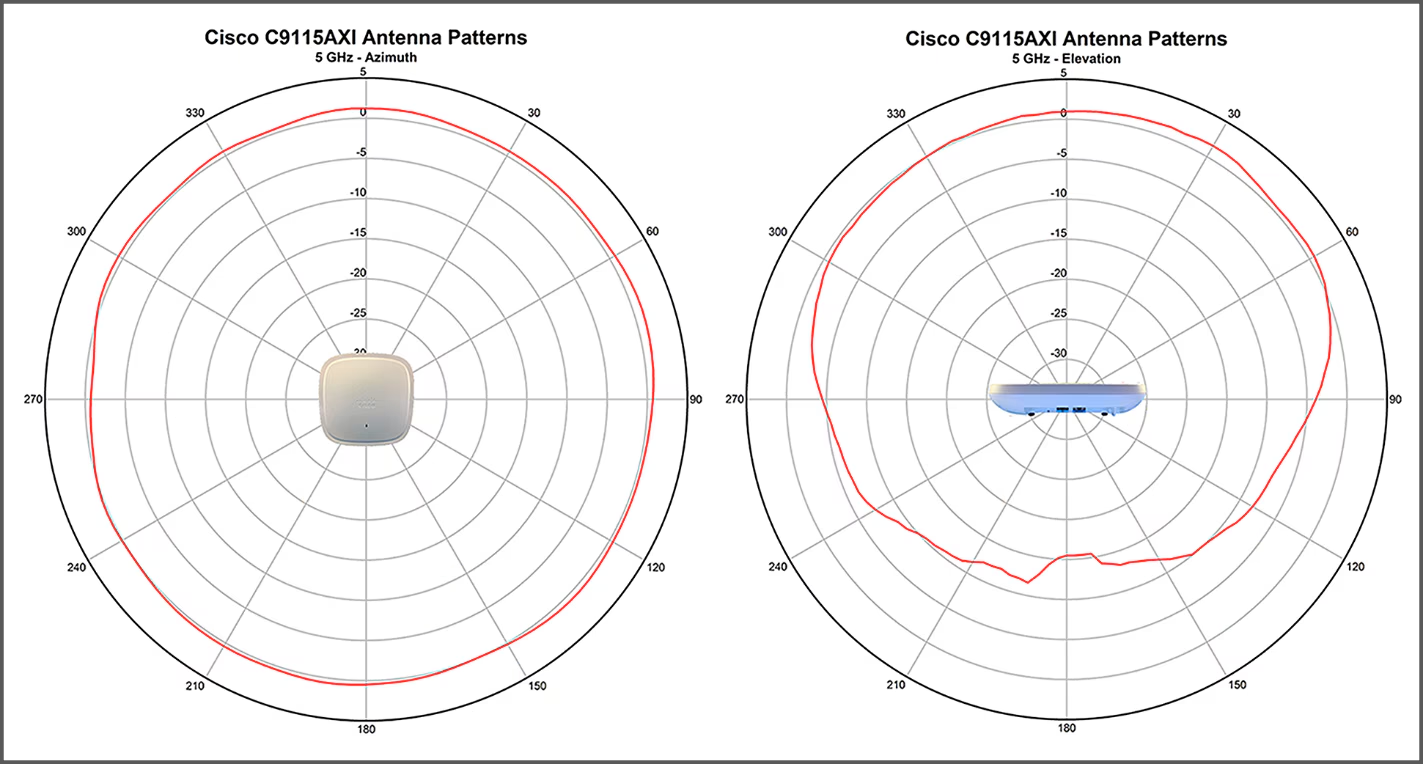
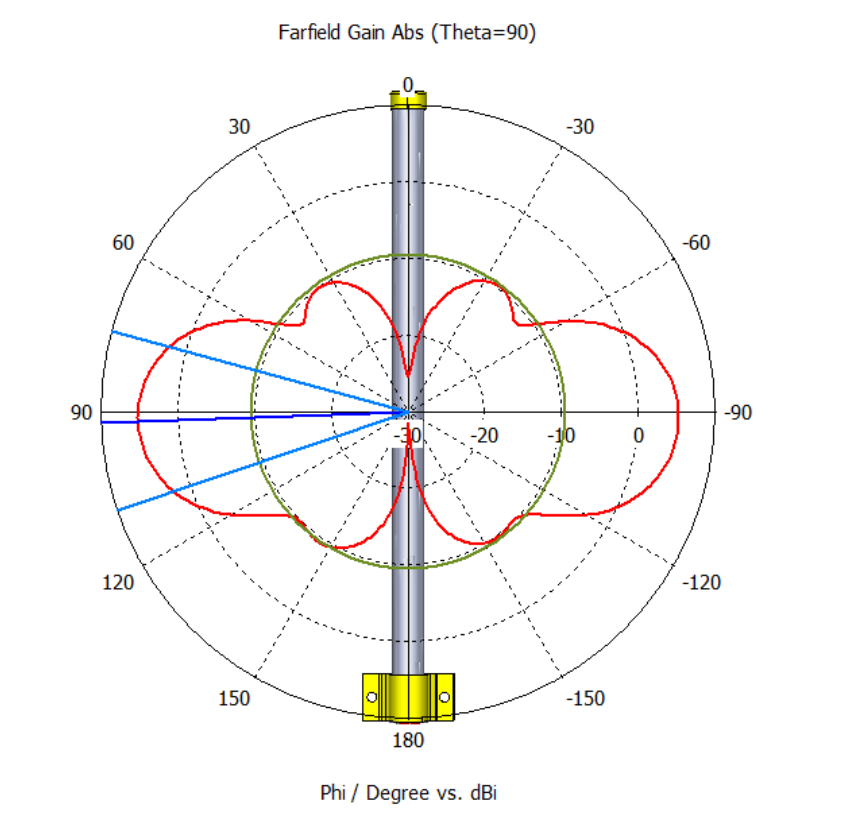
Meshtastic
What you’re actually here for…
Meshtastic overview
- Low power, low cost radios connected over unlicensed channels
- 902.0 - 928.0 MHz in the US, 869.4 - 869.65 MHz internationally
- Some radios can be tuned, try to buy the right one, especially the antenna
- Text messages and sensor readings relayed
- Messages broadcast between hops until time-to-live (TTL) expires
- Default 3 hops, can be extended to 7
- Typical range listed as 1-3 miles, mesh to 60 miles, single link record of 206 miles
- 260-270 nodes visible from Harrisonburg
- Devices beacon every few hours, can take a while to discover neighbors
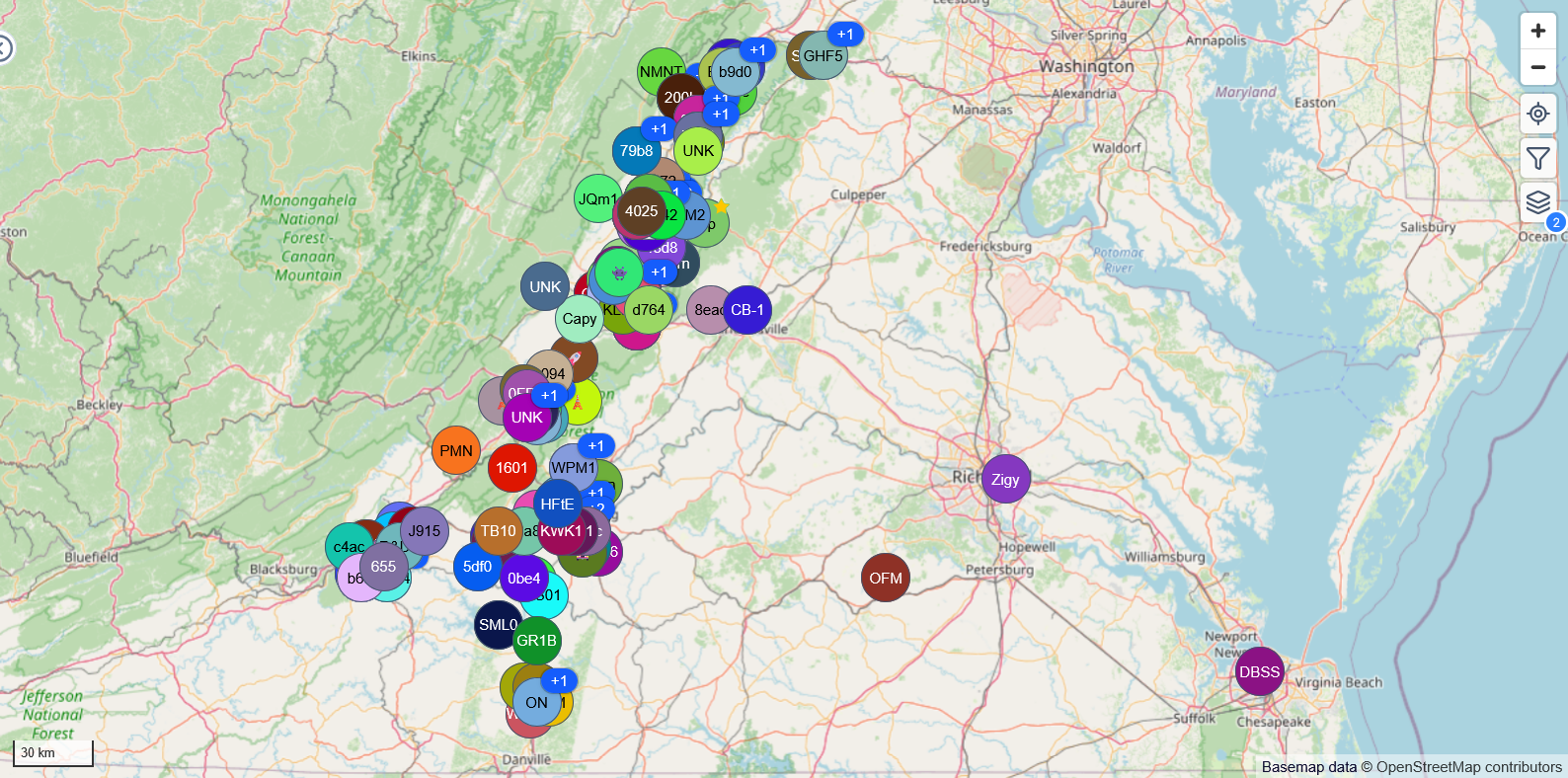
Meshtastic location data
- Location data is self-reported and can be inaccurate
- Optional GPS module
- Can use phone info via app
- Radios onboard flights sending stale information
- Your location can be obscured by limiting lat/long decimals
- Optionally, only transmit location on private channels
- Wifi-enabled boards can relay via internet MQTT giving extreme “range”
Meshtastic encryption
- All communications encrypted
- 8-bit short keys for public channels (
AQ==default,pg==Harrisonburg) - 128/256 bit AES keys for private use
- Nodes relay messages regardless of their ability to decrypt
- Node public/private keys autogenerated, must be validated manually/offline for DMs
Meshtastic node types
- CLIENT - default, relays all traffic, participates in mesh
- CLIENT_MUTE - receive-only, better for edge or limited visibility nodes
- CLIENT_BASE - prefer/only relay “favorite” nodes
- REPEATER/ROUTER - only relay, nodes are not expected to originate messages
- A few other very specialized roles
- Stay with default CLIENT unless you have a specialized setup
Meshtastic LoRa settings
- Broadcast can be tuned based on expected range and number of nodes
- Can broadcast quickly for short-range, high node count environments
- Can broadcast slowly for long-range, high background noise environments
- Default LONG_FAST, range from SHORT_TURBO to VERY_LONG_SLOW
- Frequency can be manually specified, otherwise the name of the primary channel is hashed to a frequency
Heltec v4
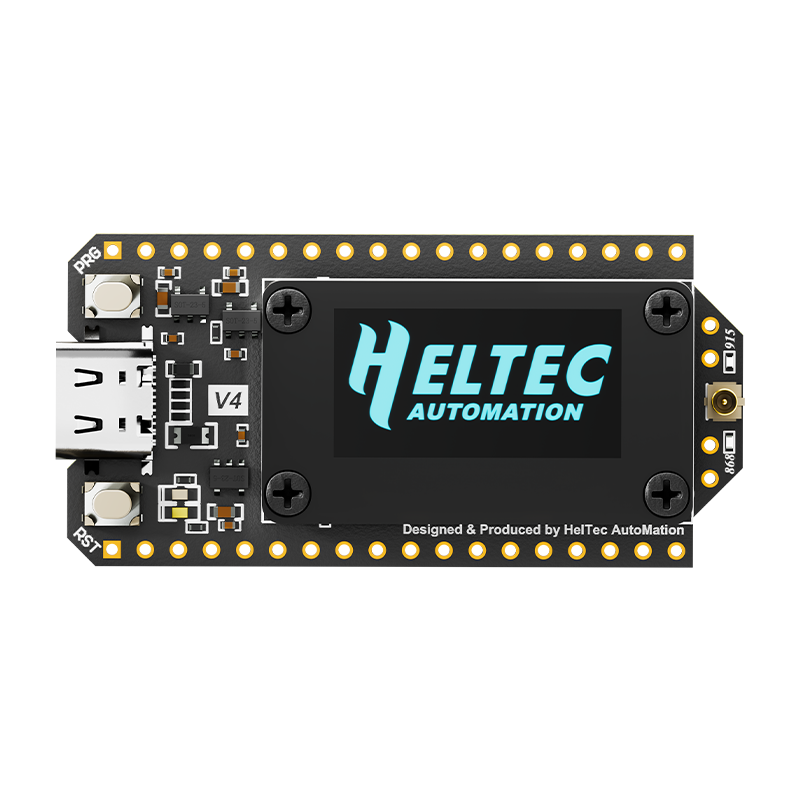
- Powered by ESP32 (dual-core 240 MHz, 2MB RAM)
- Integrated screen and wifi
- Sensors via soldered pins
- Relatively power hungry
- We’re using these tonight
RAKwireless 4631
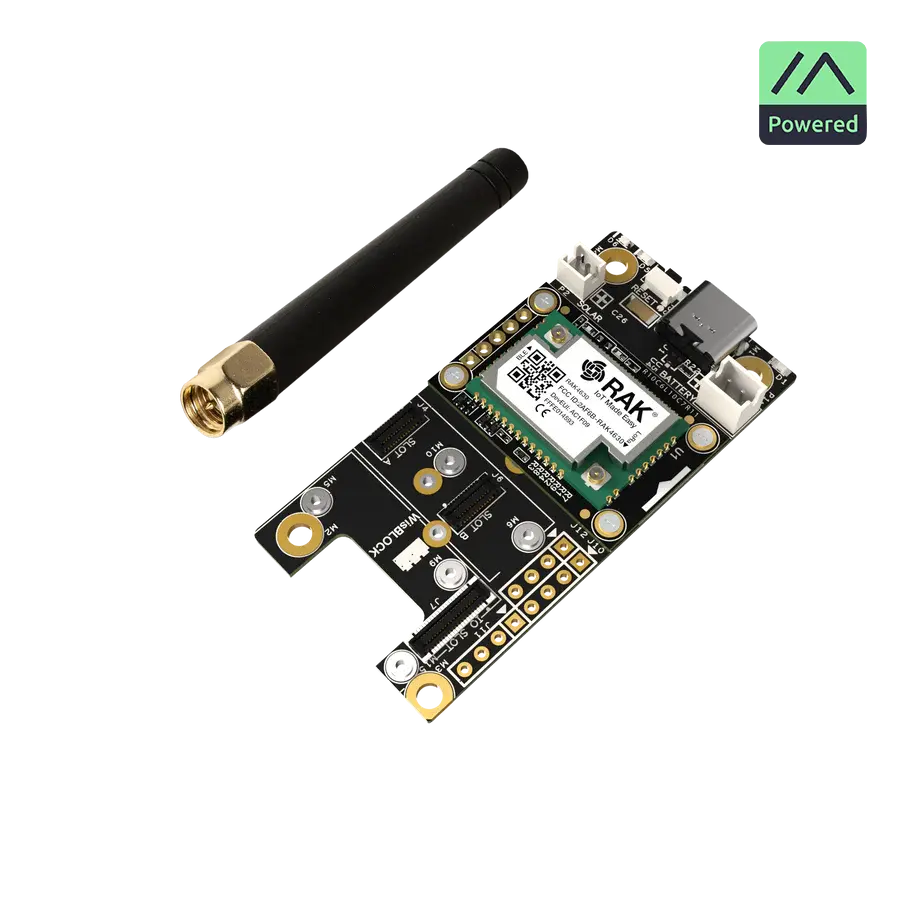
- Powered by nRF52840 (64MHz CPU, 256KB RAM)
- Flexible baseboards with module connections
- Temperature, pressure, humidity, accelerometer, GPS, and screen modules
- Excellent power usage for battery/solar use
SenseCAP Tracker T1000-E
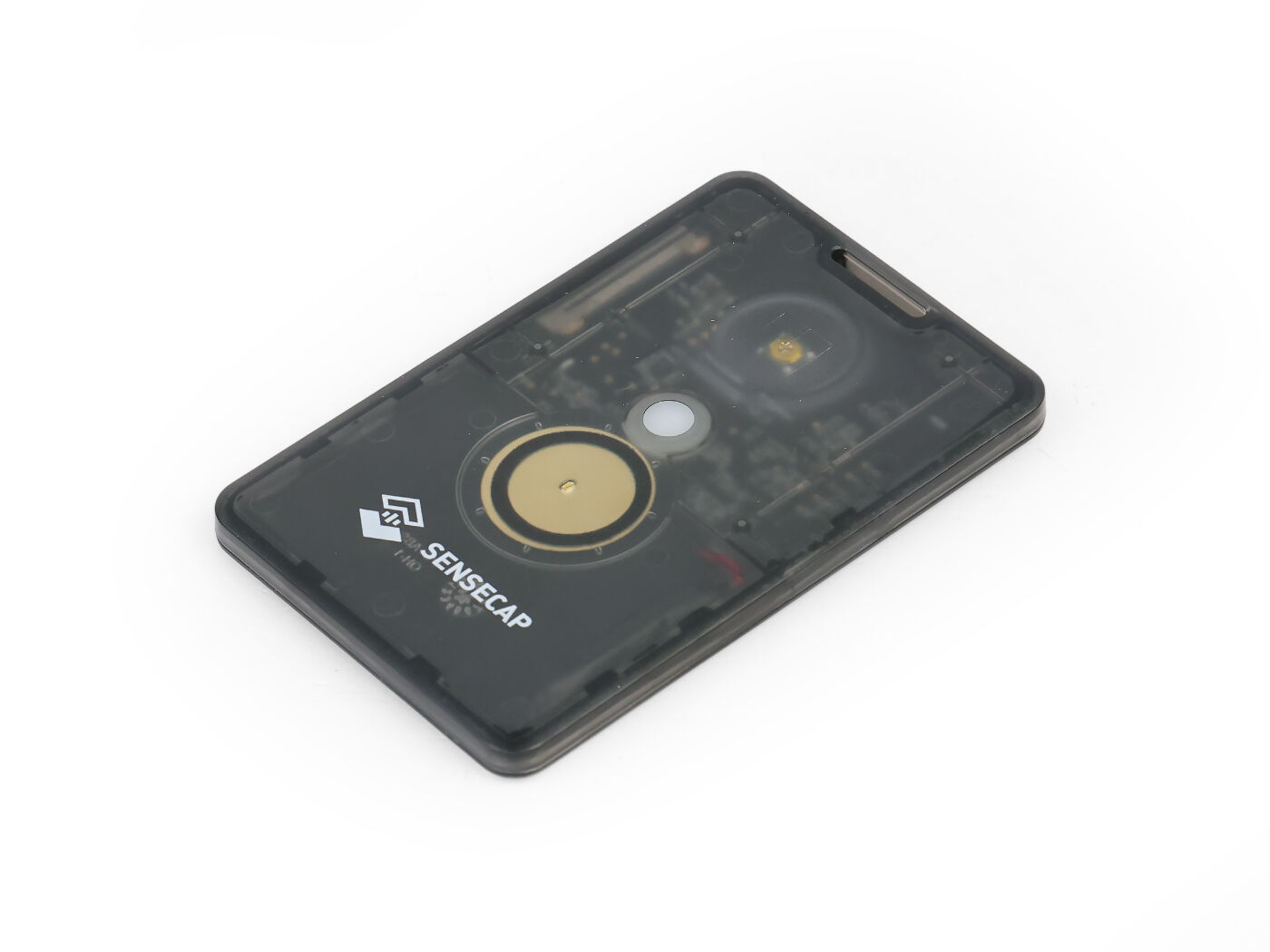
- Same nRF52840 low-power CPU
- Integrated GPS, battery, button, and buzzer
- Button combos to acknowledge message or send current position
- Mesh AirTag
LILYGO T-Deck Pro
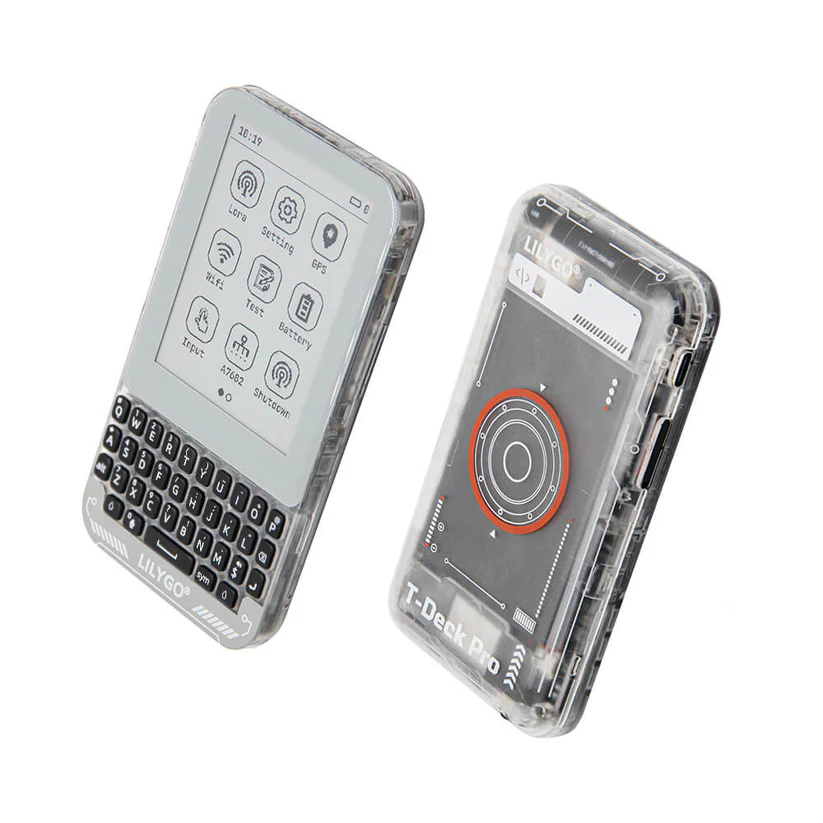
- ESP32 CPU, integrated keyboard, screen, and battery
- Portable text messaging
Solar nodes
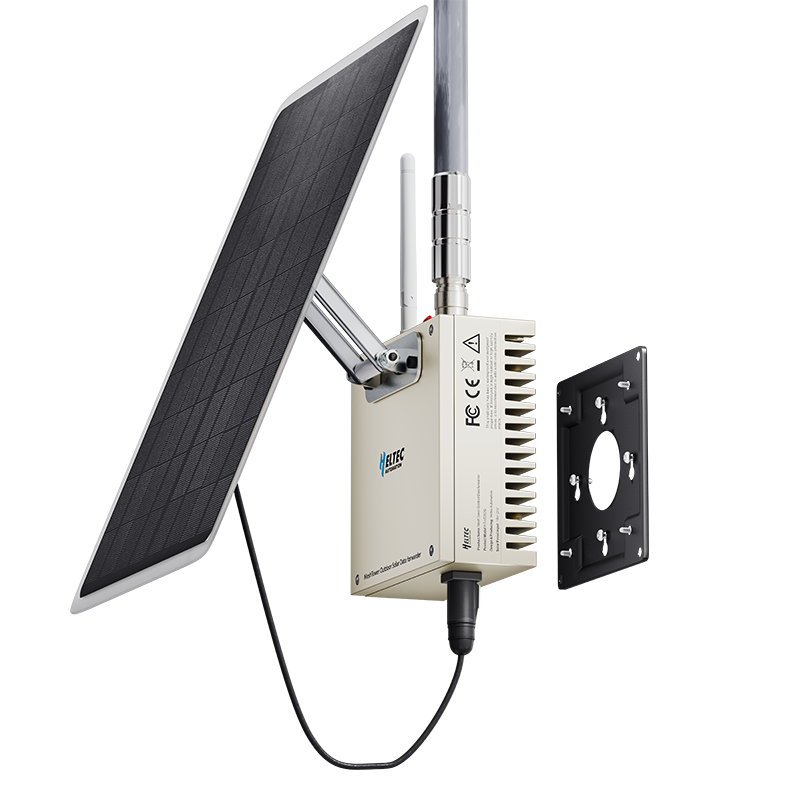
- Remote solar nodes are a popular way to extend the mesh
- Need to be carefully designed for battery temperature, wind loads, and lightning
Build a node
What you’re really, really here for…
Build a node - hardware setup
- Connect LoRa antenna FIRST!!
- Never power a radio without its antenna
- Press the connector flat, be careful but requires some force
- Connect power
Build a node - software update
- Go to https://flasher.meshtastic.org
- Select Heltec v4 device
- Select firmware version 2.7.15 Beta
- Select Flash
- Do not do 1200bps reset or change 115200 baud rate
- Select
Full Erase and Install
(pause here)
Build a node - software update
- Hold PRG while you tap the RST button
- The board will reboot in update mode
- Select Update to begin
- When the update looks complete, you may need to hit RST to reboot again
Build a node - configuration
- Go to https://client.meshtastic.org
- Add a connection via serial
- Board may reboot after each setting change. Count to 5, check screen for status
- Click Settings, then Device Config
- Set short and long device name
Build a node - configuration
- Go to Radio Config, then Channels
- On the Primary channel, set your location data preference
- Save, possibly reboot between each channel page
- Add UUG and JMU channels (copy these from Discord)
- UUG:
0ztAT+L+N7Ixo6a0GRH1BHgePpP6BAwgOTQTaJ+Od24= - JMU:
9XF5AXZh0G7c3Jlk3nO6Iw==
- UUG:
Build a node - configuration
- Go back to Radio Config, then LoRa
- Set region to US
- Make sure you’ve rebooted the board by now
- Go to the Messages page, and send a test message to the UUG channel
Build a node - go mobile
- Pair phone over Bluetooth
- Pairing code will be shown on screen
- Go test!
- USB power available under benches throughout the building
- Leave $20 and you can keep the board (Venmo @ripleymj)
- Join the conversation on UUG Discord #meshtastic